
Free up your phone storage
Your job history lives online instead of growing inside your personal photo library.
KerbCam keeps your work photos organised and makes it easy to create and share before-and-after pictures and photo boards.
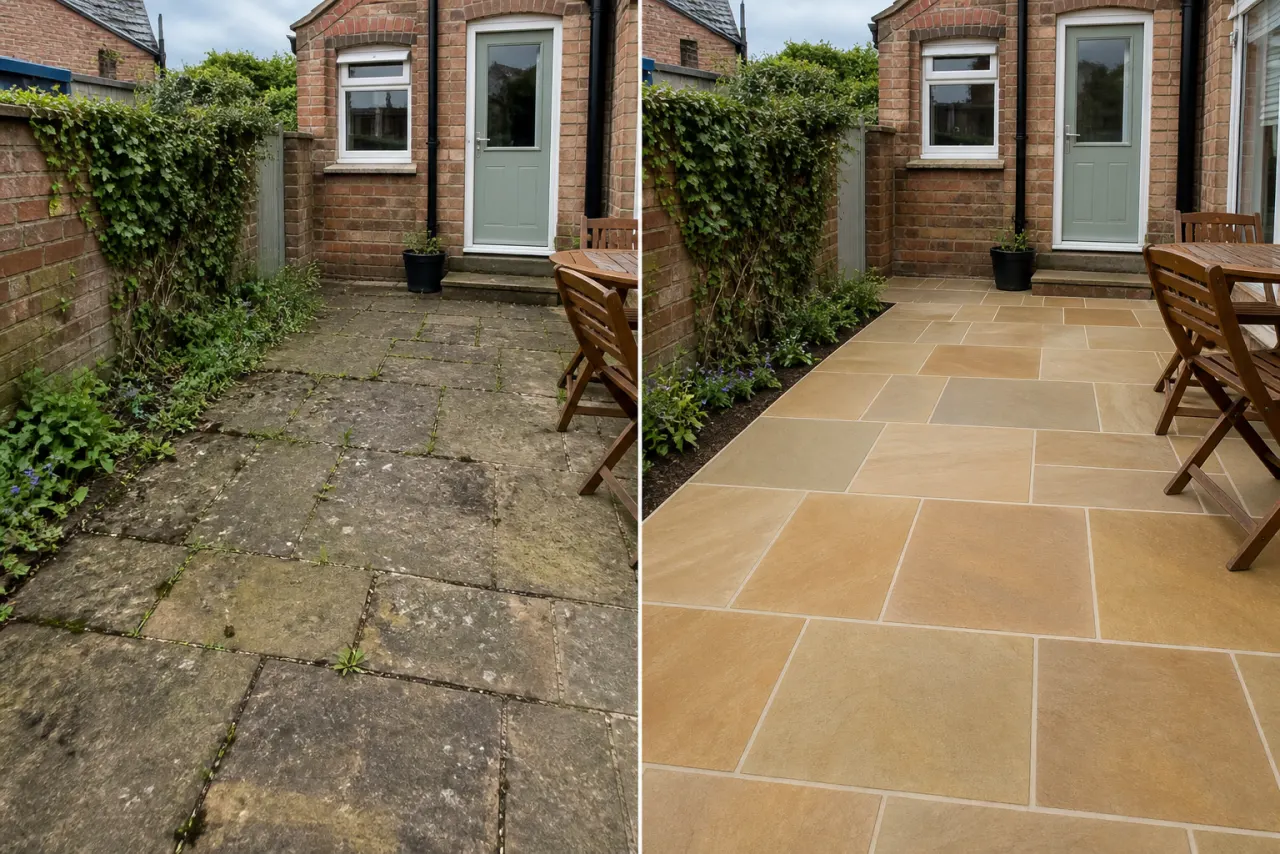
Built first for gardeners and landscapers
Find every visit, pair before and after shots, and share the finished work before you leave.
Start free on the web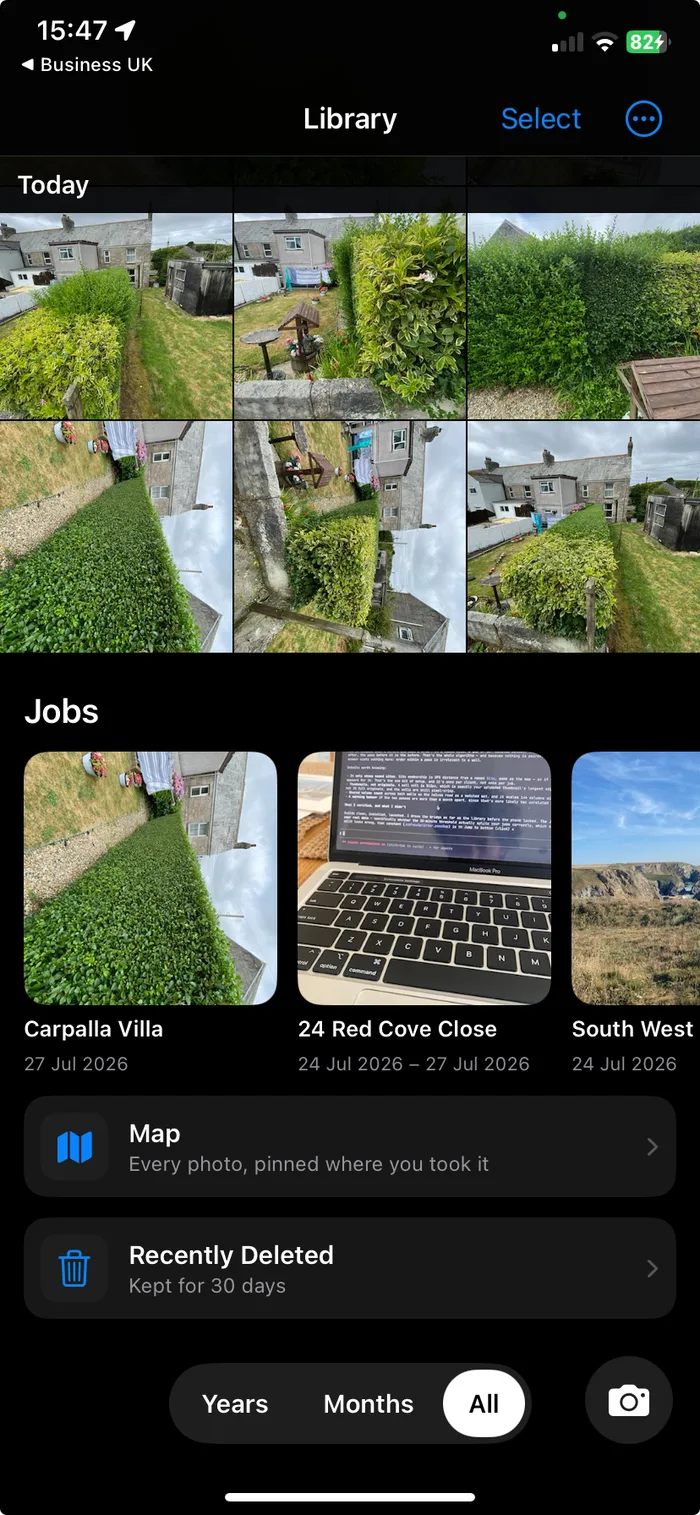
Made for garden work
Work photos are stored online in KerbCam, not left to clog your camera roll.
Each visit is sorted by date and location, so the last job is easy to pull up on site.
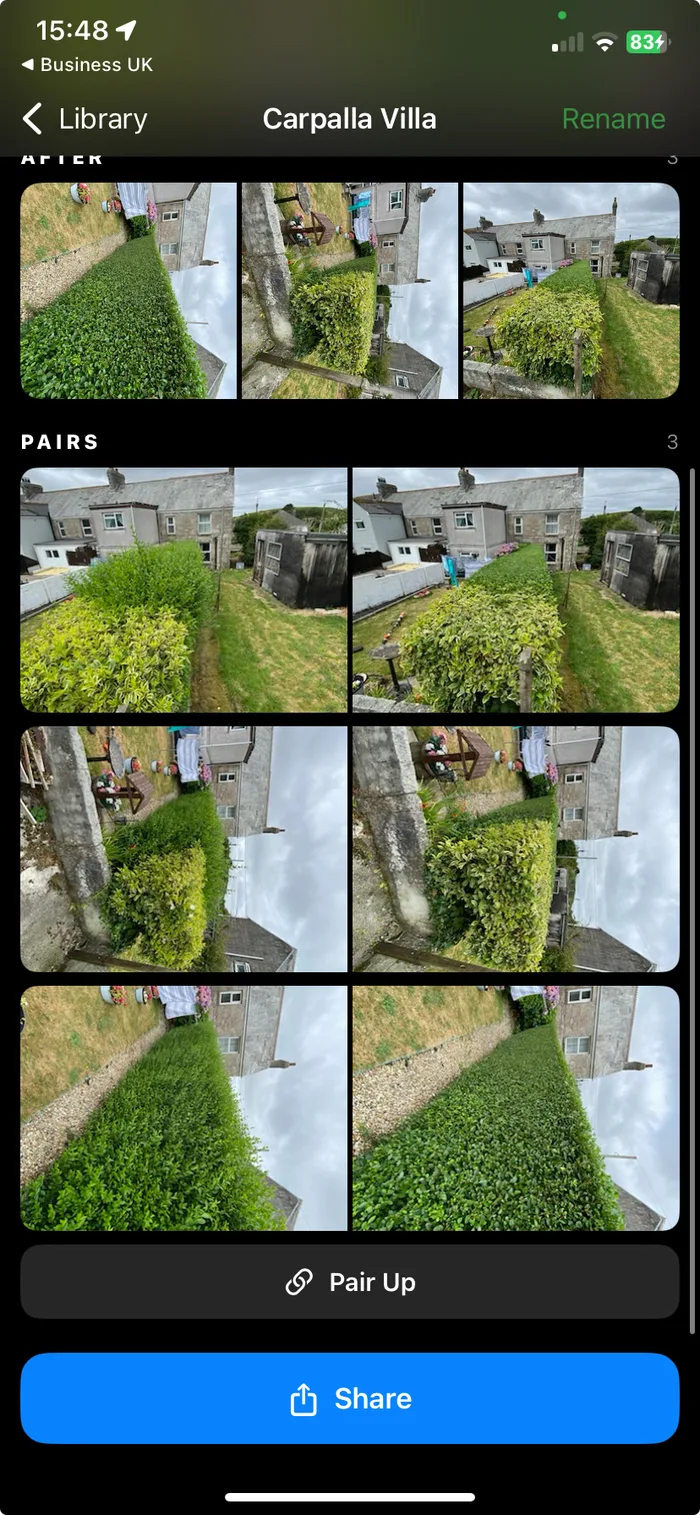
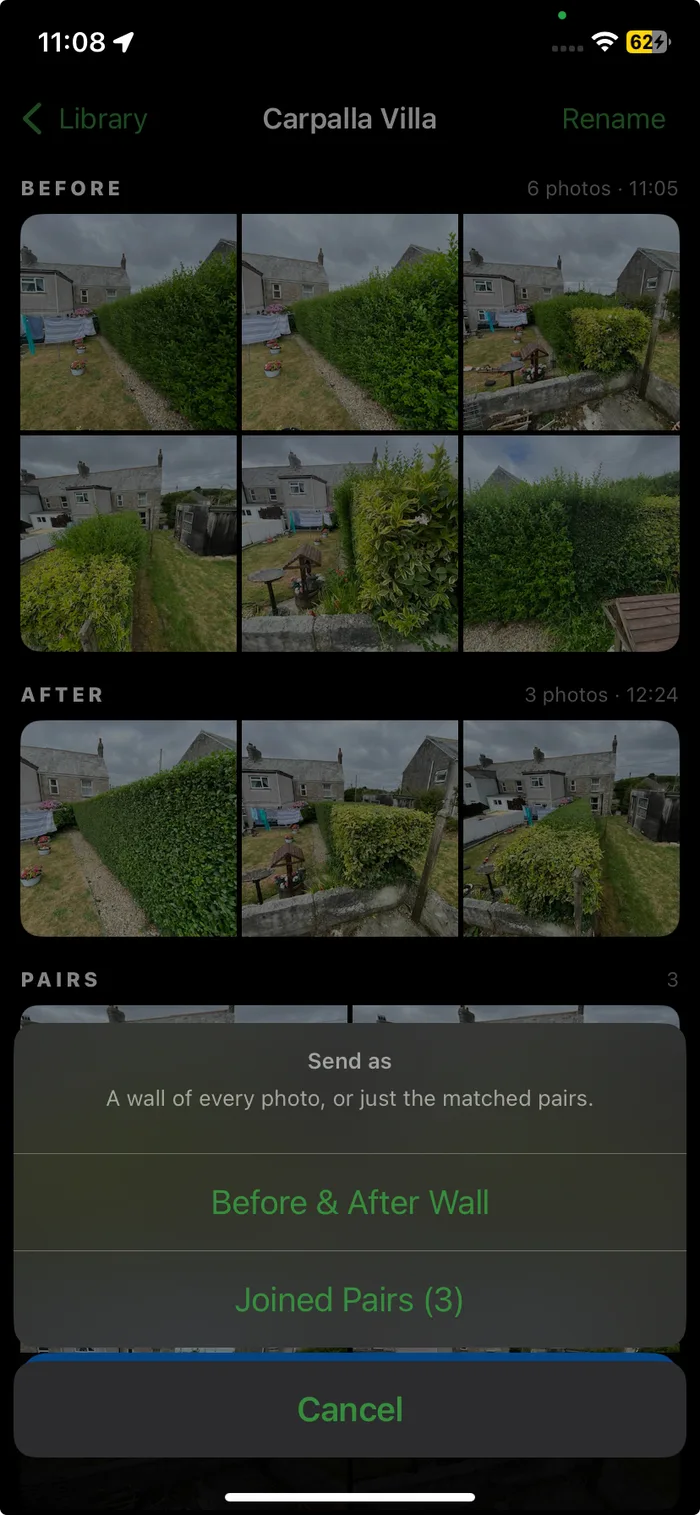
Create a before-and-after picture or photo board, then share the finished job in a few taps.
Free tool
Choose two photos, download a clean comparison and share your finished work. The tool runs entirely in your browser.
Want this done automatically for every job? Start free.
Your job history lives online instead of growing inside your personal photo library.
Customer gardens stay in KerbCam. Family photos stay in Apple Photos.
Browse by date and location, then open exactly what you did last time.
Turn job photos into before-and-after pictures or photo boards for your portfolio and socials.
Share job photos as soon as the work is finished, without digging through your camera roll.
Import job photos from your camera roll. Each one keeps the date and place it was actually taken, so it lands in the right visit rather than under today.
One simple plan
Start with 7 days free. Cancel whenever you like.
Start freeEverything included
No demo call required.
No. Job photos are stored online in KerbCam, so your camera roll and phone storage do not become a growing archive of work.
No. KerbCam has its own work library, so customer gardens stay separate from your personal and family photos.
KerbCam sorts photos by date and location. Open the customer location to see previous visits without searching through thousands of photos.
Yes. Pair your before and after shots or arrange several photos into a clean board for your portfolio, socials or customer updates.
Yes. Choose the finished images or comparison and share them as soon as the job is complete.
Yes. Import them from your camera roll and KerbCam files each one by the date and location recorded in the photo itself, so an older job lands in the visit it belongs to. Where a photo does not carry that information, KerbCam tells you rather than guessing.
Yes, at any time. Export the original files, save them to Apple Photos, or share them straight to a customer. Your photos are never locked in.
7 days free. Then £9.99 a month.